
GOcontroll Moduline L4
The GOcontroll Moduline L4 is a programmable Linux controller for mobile machinery, special vehicles and electrification systems, with eight slots for compatible I/O modules and four CAN 2.0B interfaces. Program this modular controller with MATLAB Simulink, Node-RED, C or the GOcontroll AI Application Builder.
Model-based development with MATLAB Simulink supports model reuse, simulation and code generation. Development time and reliability depend on the application and validation; for platform comparisons, see Moduline versus a standard PLC.
This rugged controller has a CNC-machined EN AW-5083 aluminum enclosure rated IP67 and a specified temperature range of -20 °C to 85 °C. Outdoor suitability depends on installation and exposure. The GOcontroll Moduline L4 hardware has been tested according to ECE-R10; see the EOX tractor application for a machine-control example.
From €1,340.00 excl. VAT, for the controller without modules and options. Article number 29040000. In stock. Configure your controller and see the full price.

Onboard interfaces
Four CAN 2.0B interfaces, Ethernet, USB and LIN master/slave hardware are onboard. Wi-Fi/Bluetooth and 4G/LTE/GPS connectivity are optional; RS232 is an assembly option.

| Feature | Specification |
|---|---|
| 8 Module slots | For Moduline compatible modules |
| 4 Built in programmable LEDs | High brightness multicolor RGB |
| USB | 2.0 |
| Ethernet | 10/100 Mbps |
| 4 x CAN | CAN 2.0 B |
| 1 x LIN | Master or slave configuration |
| Bluetooth (optional) | 5.1 BR/EDR/LE, 3MPHY |
| Wi-Fi (optional) | Wi-Fi 4, 802.11 b/g/n |
| Cellular communication (optional) | LTE CAT-4 (LTE-TDD/LTE-FDD/HSPA+/GSM/GPRS/EDGE) |
| Positioning GNSS (optional) | GPS/GLONASS/BeiDou/Galileo |
| Serial communication | RS232 (assembly option) |
Linux controller specifications
The GOcontroll Moduline L4 embedded controller uses an NXP i.MX8M Mini with four Cortex-A53 cores at 1.6 GHz, 1 GB RAM and 4 GB eMMC. The processor handles application processing; plug-in modules handle low-level signal processing locally.

| Moduline L4 | Quad Core |
|---|---|
| Processor | i.MX8M Mini |
| Architecture | Quad ARM® Cortex® A53 |
| Flash memory | 4 GB eMMC |
| RAM memory | 1 GB |
| Core speed (for each core available) | 1.6 GHz |
| Boot time for running compiled Simulink models | 2.4 to 2.6 seconds |
| Boot time for running Node-RED service | 8 to 10 seconds |
Controller supply and maximum ratings
Connector C supplies the controller electronics at 8–32 VDC. Startup requires K31 ground, K30 supply and K15 enable; follow the main-controller wiring guide and configuration-specific pinout.

| Parameter | Specification |
|---|---|
| Supply voltage (K30) | 8 – 32 VDC |
| Contact voltage (K15) (all K15 pins) | 8 – 32 VDC |
| Nominal current consumption when controller is active (no modules installed) | 310 mA @ 12 VDC – 200 mA @ 24 VDC |
| Current consumption when switched off (K15’s low) | < 1 mA |
| Load dump protection | Tested as part of R10 testing at a notified body |
General controller specifications
| Item | Weight |
|---|---|
| GOcontroll Moduline L4 controller (without modules) | 1380 gram |
| Each extra input module | 13 gram |
| Each extra output module | 29 gram |
| Item | Specification |
|---|---|
| Enclosure material | CNC-machined EN AW-5083 aluminum |
| Temperature range | -20° C to 85° C |
| Mating connector A | Tyco 3-1437290-7 |
| Mating connector B | Tyco 3-1437290-8 |
| Mating connector C | Tyco 2-1437285-2 |
| Mating connector D | Tyco 1473416-1 |
| Mating connector E | Tyco 1473416-2 |
| Connector terminals | Tyco 3-1447221-3 |
Controller dimensions
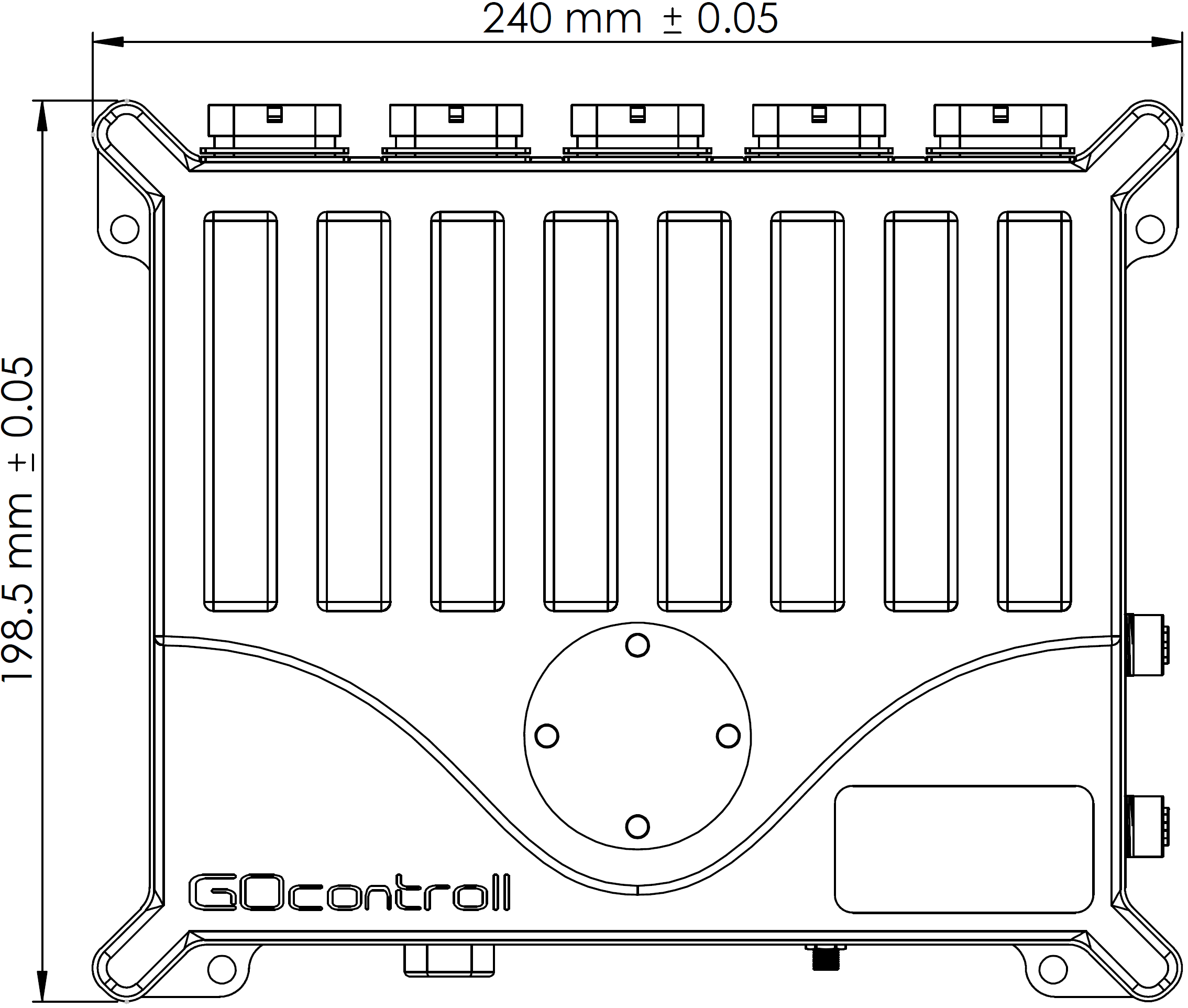
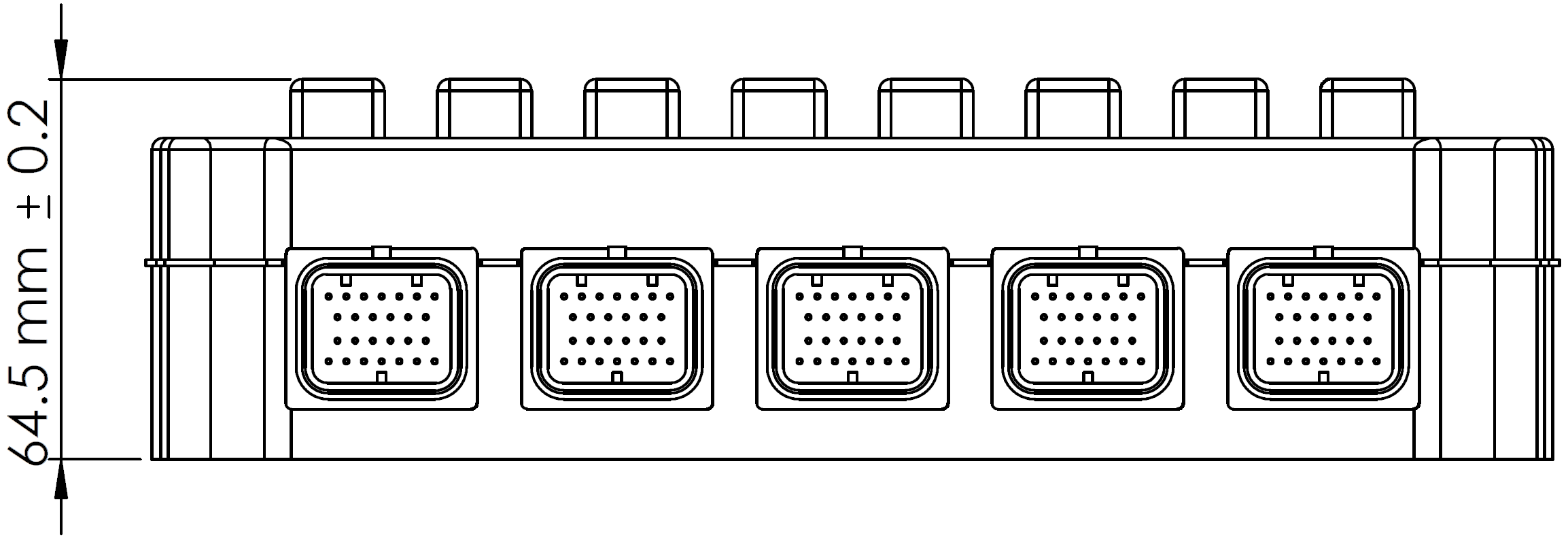
The housing STEP model is available in the knowledge base for checking mechanical fit. For a demo, prepare your I/O list, CAN network requirements, load currents and preferred programming workflow.
The Moduline L4 page in our knowledge base provides connector C pinouts, the eight module slots mapped to connectors A, B, D and E, supply and enable wiring, and configuration documents. Use the document for your selected hardware configuration when wiring the controller. For installing a controller software image, see re-flashing the controller.
Frequently asked questions
Which input and output modules does the Moduline L4 support?
The L4 has eight slots for compatible modules, including the 6 Channel Input Module, 4-20 mA Input Module, 10 Channel Output Module and 2 Channel Power Bridge Module. An illustrative configuration with one 6 Channel Input Module and one 10 Channel Output Module provides six input channels and ten output channels, leaving six slots free. Check signal compatibility, load currents and wiring against the selected modules and configuration document.
What power supply does the Moduline L4 need?
The controller supply and all K15 enable inputs accept 8–32 VDC. Without modules, nominal active current is 310 mA at 12 VDC or 200 mA at 24 VDC; with K15 low, current is less than 1 mA. Startup requires K31 ground, K30 supply and K15 enable, with the controller-electronics supply connected through connector C.
How many CAN interfaces does the Moduline L4 have?
The L4 has four CAN 2.0B interfaces, named can0 through can3 in Linux, supporting 125, 250, 500 and 1,000 kbit/s. On current controller images, go-can stores and applies interface settings without a reboot. Communication on the affected bus stops briefly while the settings are applied.
How can I program the Moduline L4?
The L4 runs Linux and supports MATLAB Simulink, Node-RED, C and the GOcontroll AI Application Builder. The documented Simulink workflow requires Embedded Coder, MATLAB Coder, Simulink Coder, Stateflow and the GOcontroll Simulink Toolbox, using the GOcontroll Linux template and building through Embedded Coder. Upload compiled Simulink binaries over Ethernet or optional Wi-Fi.
How do I order the Moduline L4 and check availability?
The listed starting price covers the controller without modules or options. Use the controller configurator to select modules and connectivity options, see the full price and check current availability. A demo can help identify a suitable controller and module configuration for your application.