
FileZilla
FileZilla can be used to upload and download files from your controller. FileZilla can be used over wired ethernet and/or Wi-Fi connection. Independent the type of connection, it is important to know the IP address of the controller.
Be aware that changing or deleting files can stop your controller from functioning. In case the controller stops working, a complete new kernel needs to be installed which needs to be done at the GOcontroll facility.
Using FileZilla
For this example we use the wired ethernet connection. We discovered that the IP address of the controller was: 192.168.1.16
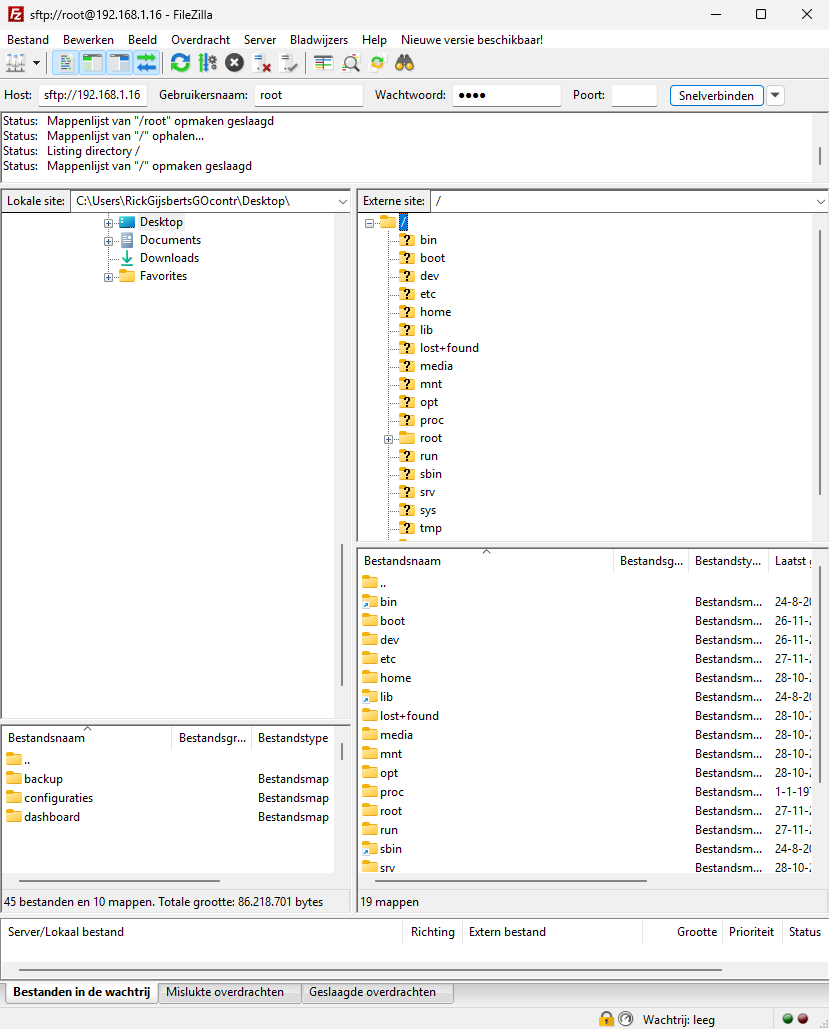
- Provide your Host address : 192.168.1.16 (sftp:// is automatically added by FileZilla in case of port 22)
- Username: root
- Password: root
- Port: 22
When the connection is successfully established, the folder structure on the controller (right) is visible.