
Setup toolchain
MATLAB Simulink is used to build and compile real-time controls in a model based development environment. All GOcontroll Moduline controllers are supported by the GOcontroll Simulink Toolbox that can be downloaded from Mathworks.
Note: Installing the toolbox is currently broken on R2025b, we are working with Mathworks on a solution for this. For now this release is considered broken and not recommended.
Step 1: Install MATLAB Simulink version R2023b or higher including the following plugins:
- Embedded Coder
- MATLAB Coder
- Simulink Coder
- Stateflow
Step 2: Remove the spaces from the default toolbox path by going to the preferences/settings menu in the HOME tab, then in the MATLAB section go to Add-Ons. Change the installation folder to a path that contains no spaces, on Windows it is also recommended to keep the path short as it has a limit in how long file paths are allowed to be. Another thing you can do is include your Matlab version in the path as otherwise multiple Matlab versions will conflict in the same location.
Step 3: When MATLAB Simulink is fully installed, the toolbox from GOcontroll can be installed. Beside the hardware support blockset, also the compiler will be installed which can take some time.
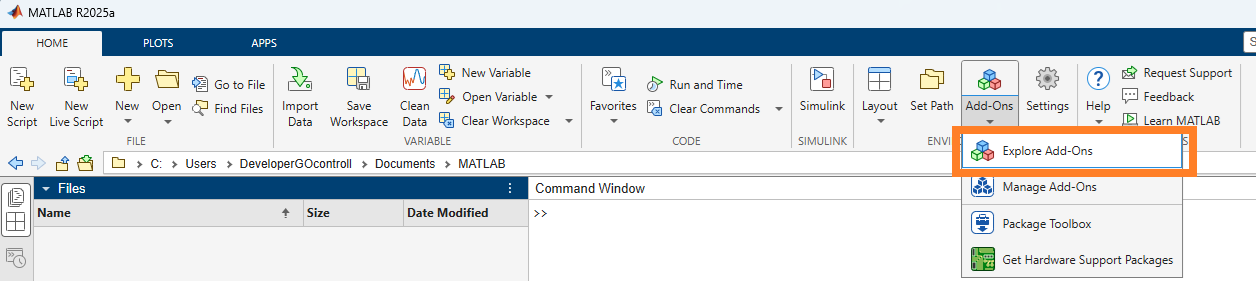
- Open MATLAB Simulink.
- Go to Add-Ons
- Click Explore Add-Ons
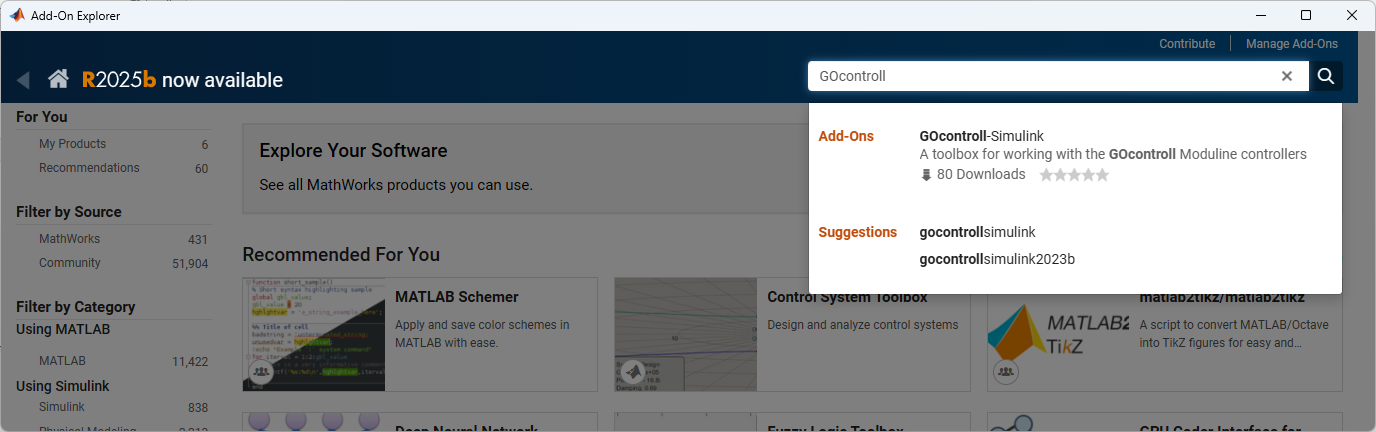
- In the Add-On Explorer, search for GOcontroll
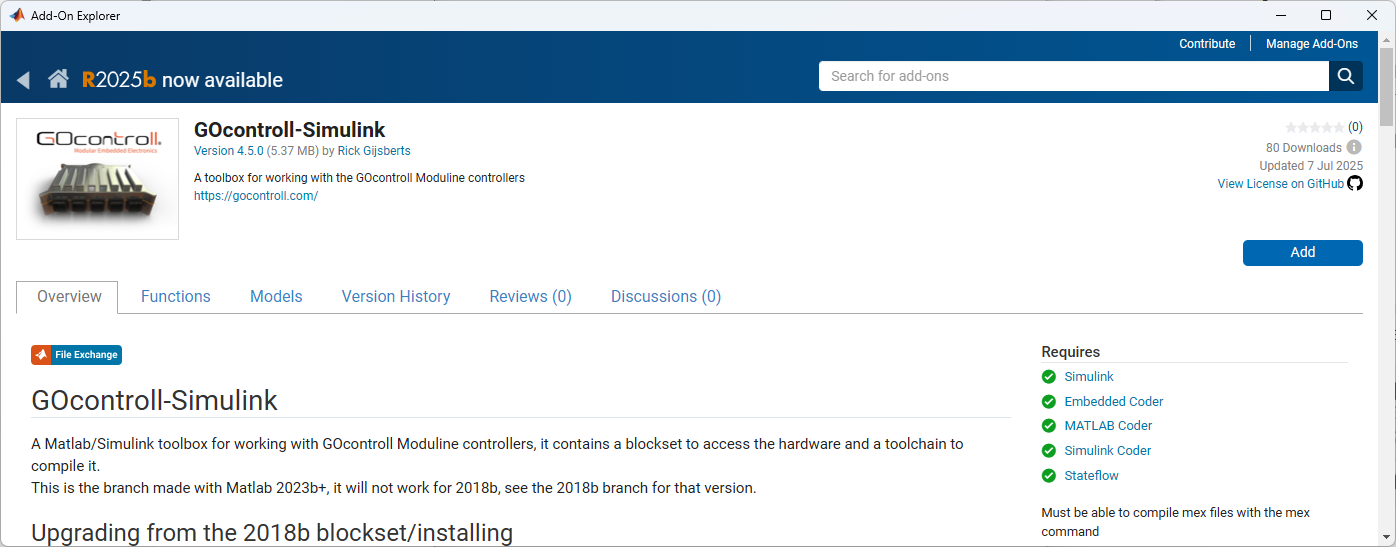
- Click Add to install the toolbox
- A pop-up will (third party software)will appear which are the required compilers
- When clicking Next, the installation will start
- After some time, the installation is completed.
The toolchain can now be used to create your model.