
Simulink Configuration
When you program your application using Simulink, you can use the Read from memory block to retrieve parameters from stored memory. This allows to parameterize a Simulink binary depending on the application.
Add block to Simulink model
- Select Read from memory in the library and add to your model
- Select Configuration
- Set sample time to 1. In this case the parameter is read each second
- Set an initial value that is used once
When your project is build, uploaded and started, the configuration parameter is automatically found by the Web UI. Open Configuration in the menu, change the value under Application configuration and confirm with Save configuration. This will instantly update the parameter in your running Simulink binary.
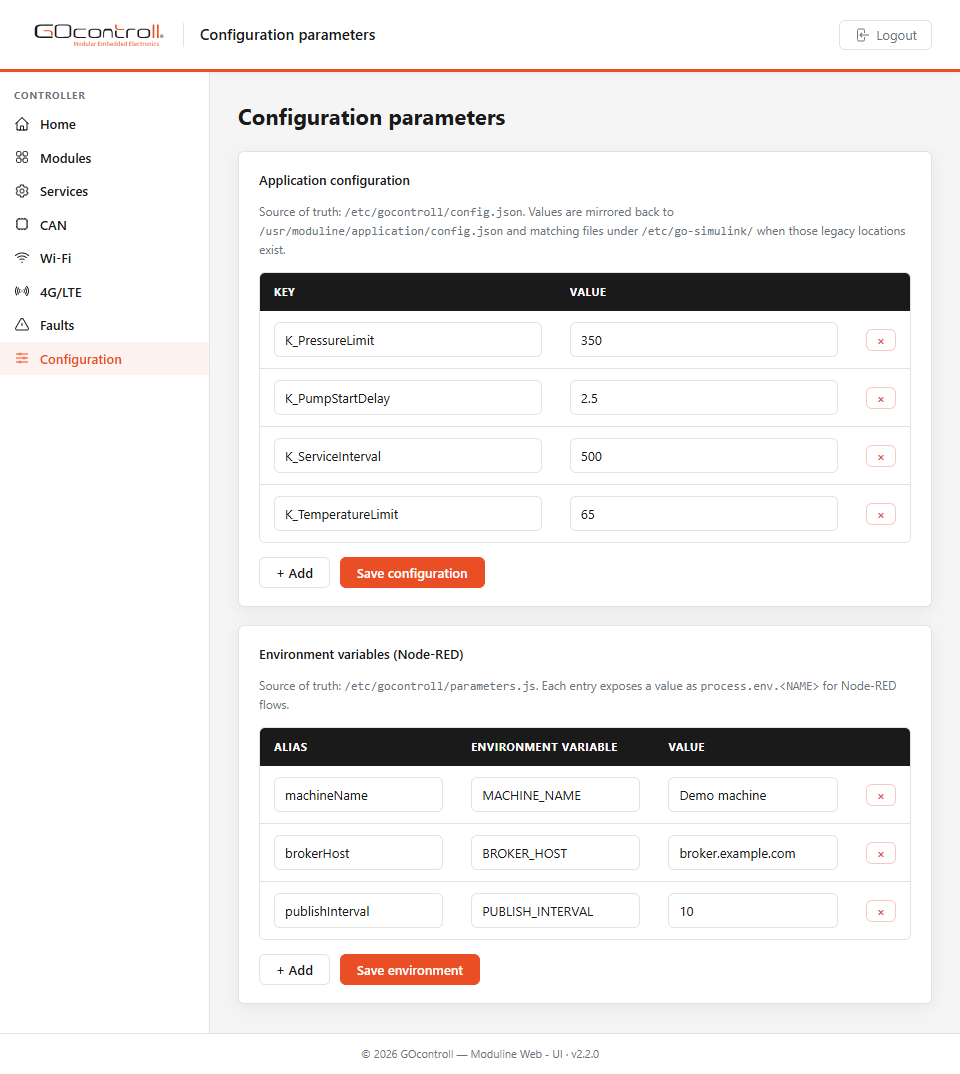
Environment variables for Node-RED
The same screen carries a second table, Environment variables (Node-RED). Every entry has an alias, the name of an environment variable and a value, and is made available to your Node-RED flows as process.env.<NAME>. Add a line with + Add and confirm with Save environment.